Setting Preferences for SIP Flow Diagrams
The following procedure describes how to set global preferences for SIP flow diagrams.
|
➢
|
To set preferences for SIP flow diagrams: |
|
1.
|
On the toolbar, click the Options  icon; the Options dialog box appears. icon; the Options dialog box appears. |
|
2.
|
Under the SIP Flow Diagram group, configure the following preferences: |
|
●
|
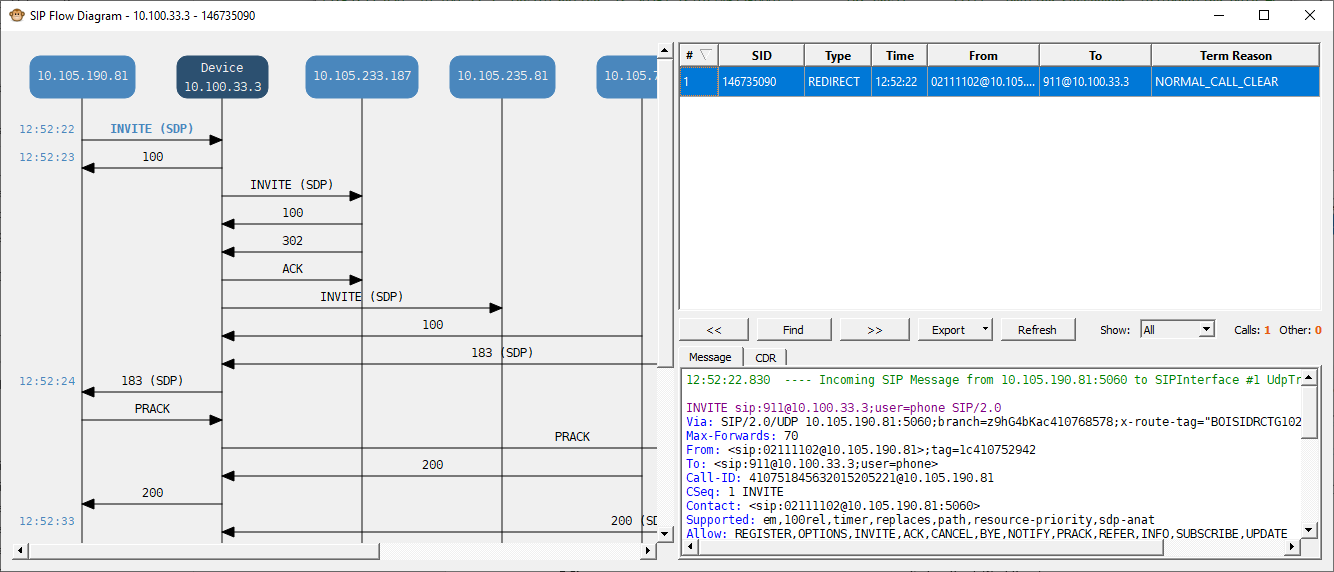
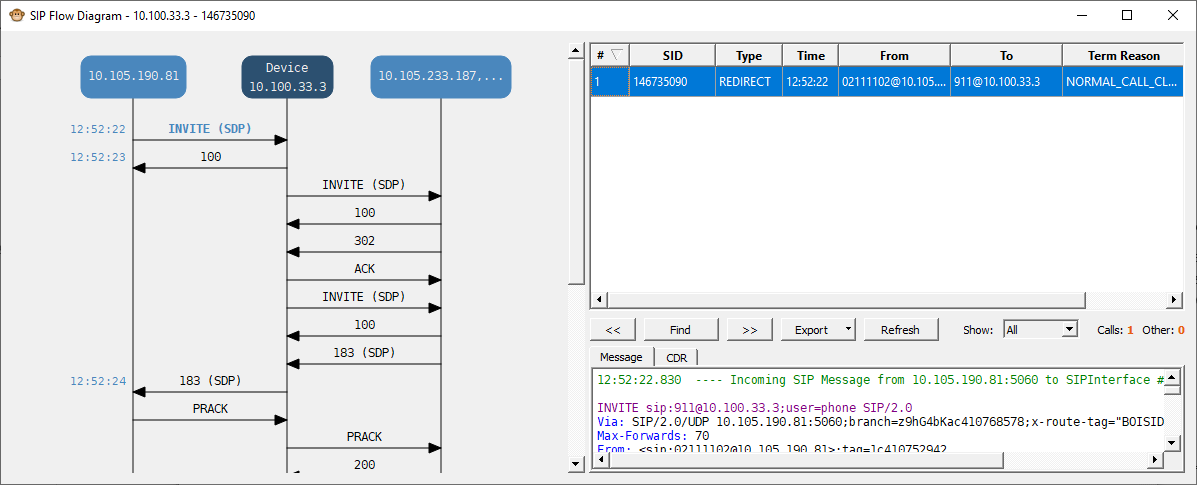
'Group messages by': Affects how vertical lines in SIP Flow Diagrams are calculated (see example below). |
|
●
|
'Merge sessions with identical Call-ID': This option useful for earlier device software versions where the "[SID=]" element sometimes "switched" in the middle of the session (or even disappeared). Enabling this option merges the sessions based on SIP Call-ID. |
|
●
|
'Parse sessions without SID': This option useful for earlier device software versions where the "[SID=]" element is sometimes not displayed at all in the Web interface's Message Log. |
The following shows an example of the 'Group messages by' field:
|
■
|
Configured to Call-ID + IP Address: |